
Spotify: Music & Podcasts
Spotify ABMusic & Audio
3.9553.00 Reviews
- Version
- 1.134.2
- Installs
- 100.00M
- Age Rating
- Teen
Screenshots
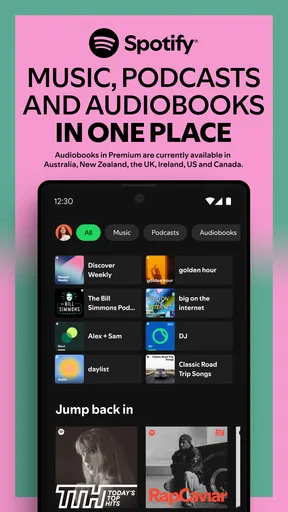
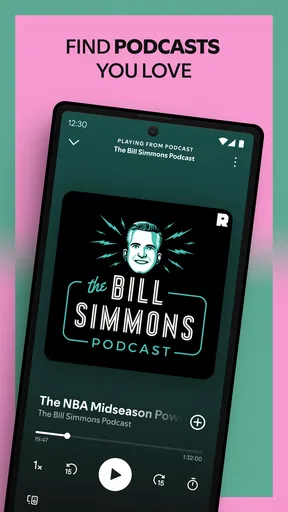
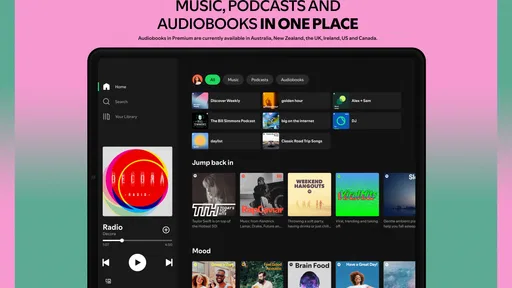
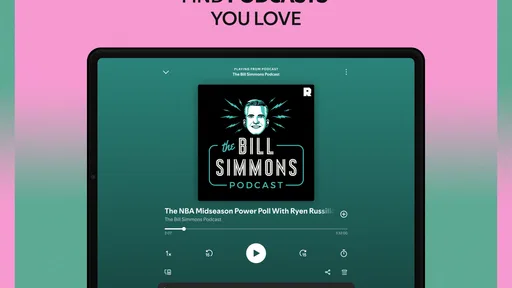
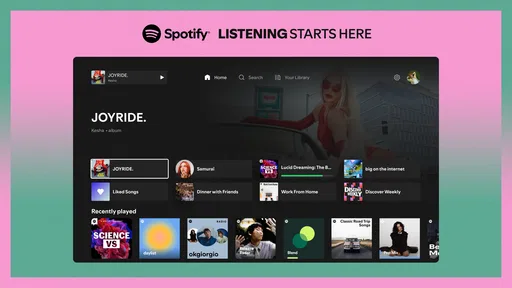
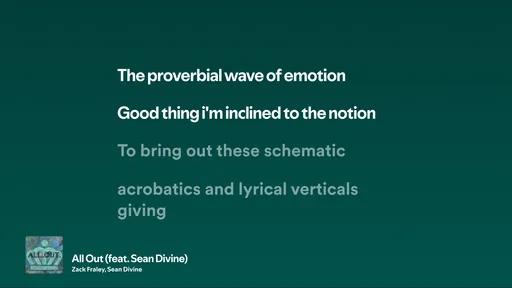

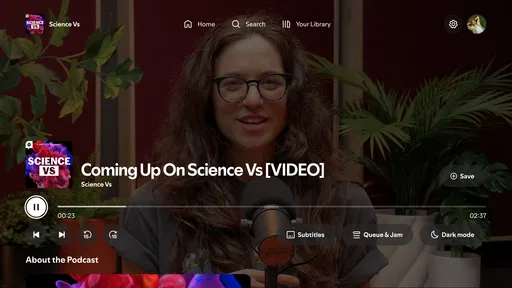
Our Review of Spotify: Music & Podcasts
 Analysis by Appyee
I tend to get the most from a listening app when it fits the small gaps in my day, not just when I sit down to search for an album. Spotify: Music & Podcasts is built for that kind of casual switching: I can look for a familiar song, let a playlist carry on while I work, then move to a podcast without opening a separate service. Its mix of discovery and everyday playback is appealing, though it works best when I’m willing to guide its recommendations rather than treating them as a perfect personal DJ.
A routine that makes listening easier
My simplest habit is to start with a specific anchor: an artist, a track, or a playlist that suits what I’m doing. From there, I can either stay with music I already know or use a recommendation as a gentle nudge toward something new. This is more reliable than asking an algorithm to guess my mood from scratch. If I’m studying, for example, I’ll pick a steady playlist first; if I’m walking, I might begin with one favorite track and let the app suggest what follows.
That distinction matters because listening history can shape what appears in personalized mixes. I try not to use one account as a catch-all for every household member or every kind of background audio if I want recommendations to stay useful. When my tastes shift, I also make a point of searching for the new style directly and saving tracks I genuinely want to hear again. A few deliberate choices can make discovery feel less random than endlessly skipping songs.
Settings and habits worth checking
Before relying on Spotify away from home, I check which content I have saved for offline listening and open it while I still have a connection. That small routine helps avoid the familiar mistake of assuming an episode or playlist is ready, only to find it is not available when I need it. I also keep an eye on whether I’m listening to a downloaded item or streaming, especially when I’m planning a longer trip.
For podcasts, I find it useful to choose episodes with the journey in mind rather than downloading a long queue without a plan. A short episode can suit a commute; a longer one may be better for a walk or a flight. Offline access is helpful, but it depends on preparing the material beforehand, so it is not a substitute for having every show ready automatically. For music, saving a playlist I already trust is often a better travel plan than relying on recommendations to keep supplying the right mood.
Spotify is a free music and audio app from Spotify AB, with a Teen content rating. Its current version is 1.134.2, and it runs on Android 6.0 or later. The app has a 3.9 average from around 39,000 ratings and more than 100 million installs. Those figures suggest broad use, but they do not tell me whether its recommendations will match an individual listener; that depends much more on how someone searches, saves, and listens.
Faster ways to find the right audio
When I know what I want, searching directly is usually quicker than browsing a row of playlists and hoping the right one appears. When I don’t know, curated collections and personalized mixes are a better starting point. I treat them as options to sample, not as instructions: if a mix has one track I like, I can follow that thread by opening the artist or exploring related music instead of letting the queue drift indefinitely.
Playlists are also more useful when I give them a clear job. I might keep one for focus, another for a familiar set of songs, and a separate one for a shared occasion. That makes it easier to choose quickly later and prevents a single oversized playlist from becoming a jumble. Collaborative playlists can help friends contribute to a party selection, but they work best when everyone understands the mood; otherwise, the result can jump between styles in a way that suits nobody.
Where the experience has limits
The free version can be a sensible way to try the app, but it is not the same listening experience as a paid subscription. Spotify Premium is presented as offering ad-free listening, unlimited skips, and downloads for music, which may matter if interruptions or offline playback are central to someone’s routine. I would not subscribe just because the option exists: I’d first ask whether I listen often enough for those conveniences to make a real difference.
Plan names and benefits can also be easy to overgeneralize. The original appeal of Duo or Family is that multiple people can have their own accounts, but the right choice depends on the people who would actually use it and the terms available to them. I’d check the current plan details in the app before deciding, rather than assuming a plan is automatically the cheapest or most flexible choice for every group.
Compared with a music-only service, Spotify’s practical advantage is that music and podcasts live together, so I can move between them without changing apps. A service centered on a particular music ecosystem may be a better fit for someone who already organizes their listening around that platform or wants its specific device integration. A dedicated podcast app can be preferable for listeners who mainly follow shows and want their podcast routine to be the center of the experience. Spotify makes the most sense when its combination is genuinely useful, not simply because it can do both.
Who will get the most from it
I’d recommend giving it a try if you move between familiar music, discovery, and podcasts, or if you like shaping your own playlists for different parts of the week. It can suit someone who wants one place to browse and play rather than maintaining separate apps for every kind of audio. It is also a reasonable starting point for a new listener who wants to explore before deciding which listening habits are worth paying for.
I’d be less enthusiastic about it for someone who wants a fully predictable, interruption-free experience without a subscription, or who mainly needs a specialist podcast workflow. It may also frustrate people who expect recommendations to be perfect immediately. The app can offer useful starting points, but I get better results by steering it with searches and saves instead of waiting for it to infer every preference.
One realistic routine is to pick a focus playlist at the start of a work session, save a podcast episode for the trip home, then use a personalized mix when I want variety later. Each choice has a different purpose, so I’m not asking one queue to handle concentration, catching up, and discovery all at once. That kind of simple separation is more effective than building elaborate playlists I rarely revisit.
Spotify is a free music and audio app from Spotify AB, with a Teen content rating. Its current version is 1.134.2, and it runs on Android 6.0 or later. The app has a 3.9 average from around 39,000 ratings and more than 100 million installs. Those figures suggest broad use, but they do not tell me whether its recommendations will match an individual listener; that depends much more on how someone searches, saves, and listens.
Discovering New Tunes
One of the coolest things about Spotify is its ability to introduce you to new music. Seriously, it’s like having a personal DJ who just gets you. The Discover Weekly playlist is updated every Monday, and it’s tailor-made based on what you’ve been jamming to lately. It’s like a musical surprise party every week! Plus, the Release Radar keeps you in the loop with the latest tracks from artists you love.
And let’s not forget the curated playlists. Whether you’re into indie rock, hip-hop, or classical, Spotify’s got a playlist for every mood and moment. Feeling like a throwback? Check out their awesome Decades playlists and take a trip down memory lane.
Podcasts Galore
If you’re into podcasts, Spotify is a goldmine. From true crime to comedy, the app has a vast collection that’ll keep you entertained for hours. The interface makes it easy to find new shows, and the integration with your music library means you can seamlessly switch between tunes and talk.
What’s super handy is the ability to download episodes for offline listening. So, whether you’re hitting the gym or stuck on a long flight, your favorite podcasts are always just a tap away.
Creating Your Own Vibe
Now, let’s talk about playlists. Making your own playlists on Spotify is a breeze. Got a road trip coming up? Craft the perfect playlist for those open-road vibes. The drag-and-drop feature makes organizing your tracks super easy, and you can even collaborate with friends to create the ultimate party mix.
And if you’re not in the mood to build your own, Spotify’s got you covered with their Daily Mixes. These playlists combine your favorite songs with new suggestions, keeping things fresh and exciting.
Seamless Experience Across Devices
One of the things I love most about Spotify is its seamless experience across all my devices. Whether I’m chilling at home with my laptop, out and about with my phone, or kicking back with a smart speaker, Spotify’s there to deliver my tunes without missing a beat.
The app’s interface is clean and intuitive, making it easy to navigate no matter where you are. Plus, with the ability to control playback from any device, you can easily switch things up on the fly.
Spotify Premium: Is It Worth It?
Alright, let’s talk Premium. While the free version of Spotify is pretty sweet, Premium takes things up a notch. No ads, unlimited skips, and the ability to download songs for offline listening—what’s not to love? If you’re a serious music junkie, the monthly fee is a small price to pay for the added convenience and quality.
And if you’re sharing the love with family or friends, the Family Plan or Duo Plan offers great value for multiple users. Everyone gets their own account, so there’s no fighting over playlists or recommendations.
Wrapping It Up
In a nutshell, Spotify: Music & Podcasts has something for everyone. Its vast library, personalized recommendations, and seamless integration across devices make it a top choice for anyone who loves music and podcasts. Whether you’re a longtime user or a curious newbie, Spotify’s got the tools to keep your ears happy.
So, what are you waiting for? Dive in, explore, and let the music take you places. Happy listening!
Privacy and Permissions
See what permissions an app requests and how it handles your data.
- Photos/Media/Files
- read the contents of your USB storage, modify or delete the contents of your USB storage
- Storage
- read the contents of your USB storage, modify or delete the contents of your USB storage
- Other
- view network connections, pair with Bluetooth devices, access Bluetooth settings, change network connectivity, allow Wi-Fi Multicast reception, full network access, change your audio settings, run at startup, draw over other apps, prevent device from sleeping
Verdict
Strengths of Spotify: Music & Podcasts
- Extensive music library available.
- User-friendly interface and navigation.
- Personalized playlists and recommendations.
- Offline listening mode available.
- Cross-platform syncing options.
Limitations of Spotify: Music & Podcasts
- Ads in the free version can be intrusive.
- Limited skips on free tier playlists.
- Some songs may be region-locked.
- High data usage on streaming.
- Family plan sharing restrictions.
Other Releases by Spotify AB
View All
Spotify: Music and Podcasts
Music & Audio4.3

Spotify for Creators
Music & Audio3.7
Similar Picks in This Category
View All
YouTube Music
Google LLC4.4

Samsung Music
Samsung Electronics Co., Ltd.3.8
Spotify: Music and Podcasts
Spotify AB4.3

JioSaavn - Music & Podcasts
Saavn Media Limited4.3

Lark Player:Music Player & MP3
Lark Player Studio - Music, MP3 & Video Player4.6

StarMaker: Sing Karaoke Songs
SKYWORK AI PTE. LTD.4.3
Frequently Asked Questions
What features does Spotify offer for free users?
Spotify's free version allows users to access its extensive music library, discover new tunes through curated playlists, and listen to podcasts. However, there are limitations such as ads between songs, lower audio quality, and the inability to download music for offline listening. Free users can shuffle play but cannot select specific tracks on demand.
How does Spotify's premium subscription enhance the user experience?
Spotify Premium provides an ad-free listening experience, high-quality audio streaming, and the ability to download music and podcasts for offline use. Premium users can also choose and play any song on demand, skip tracks without limits, and enjoy seamless integration with other devices and platforms.
Is Spotify compatible with all devices and platforms?
Spotify is compatible with a wide range of devices, including Android and iOS smartphones and tablets, Windows and macOS computers, and smart speakers like Amazon Echo and Google Home. It also supports integration with smart TVs, gaming consoles, and car entertainment systems, ensuring a versatile listening experience.
What are Spotify's privacy and data practices?
Spotify collects data to enhance user experience, including listening habits and preferences. Users can manage their privacy settings through the app, controlling data sharing and personalization. Spotify is committed to protecting user information and provides detailed privacy policies to help users understand how their data is used.
Can Spotify be used offline, and how does it work?
Spotify Premium allows users to download songs, albums, and podcasts for offline listening. This feature is ideal for travel or areas with limited internet connectivity. Users can download content on up to five devices, with a limit of 10,000 songs per device, ensuring their favorite music is always accessible.
